A checkout camera can spot an empty shelf; a factory camera can catch a defect with computer vision. Both turn visual information into a useful decision.
Computer vision is a type of artificial intelligence that helps software interpret images and video. It can identify patterns, objects, or events, then support a decision or action.
We’ll move from basic ideas to real-world uses and tradeoffs. We can judge a vision system best by the specific task it performs, not by the fact that it can process images.
Key Takeaways
- Computer vision turns images and video into information for a task.
- Classification labels an image; object detection locates objects.
- Image segmentation marks regions or pixels in an image.
- Training data, camera conditions, and the task shape model results.
- Cloud computer vision and edge computer vision suit different needs.
- A useful model result must reach the person or system that can act.
What Is Computer Vision, and What Can It Do?
Computer vision helps computers turn images and video into information that can support a decision or action. This field of artificial intelligence interprets what a scene contains, while basic image processing changes image data without interpreting its meaning.
Systems can recognize items, inspect products, track movement, or guide actions. Their useful output depends on the task, such as finding a damaged part or counting people. Market growth signals business interest, but does not prove that every project is worthwhile.
Grand View Research valued the global computer vision market at $23.6 billion in 2025. It projected $28.2 billion for 2026 and $101.5 billion by 2033, a 20.1% compound annual growth rate from 2026 to 2033. Its computer vision market report also says Asia Pacific held 42.1% of the market in 2025.
A useful system starts with a defined visual task, not with a camera or model chosen in isolation.
A large market does not tell us whether a particular system will work in a store, clinic, or factory. We need to consider what information the software must produce and who will use it.
Computer vision can support automation, but it does not make every decision on its own. People may need to review uncertain results, while other systems can act on clear, expected outputs.
How Do Cameras Turn a Scene Into Image Data?
A camera sensor converts incoming light into a grid of values that software can analyze. A pixel is the smallest addressable element of a digital image, represented by one or more numerical values.
A 1920-by-1080 image has 1920 columns and 1080 rows of pixels. In grayscale images, pixel intensity values commonly range from 0 to 255, from dark to bright. Those values describe captured light, not the meaning of the scene.
Color images often use RGB, which represents red, green, and blue channels. Each pixel has values for those channels, and the combined values represent its color. Image processing can adjust these values, while visual analysis can use them to find patterns.
Video is a sequence of image frames captured over time. A system can compare frames to track motion or notice an event, but it can only use details the camera captures. A low-quality image may hide small features.
Focus, lighting, and viewpoint also change the visual information available to a model. A camera angled away from a product may miss its label; glare can hide a surface mark.
If a feature is blurred, blocked, or poorly lit at capture, later processing may not recover it.
What Happens Inside a Computer Vision Pipeline?
A business vision system usually moves through four steps, from capturing a scene to acting on a model’s result. The image-processing pipeline, or vision pipeline, connects camera input to a result and a response.
A common business vision pipeline has four stages:
- Capture: A camera or video source records the scene.
- Preprocessing: Software resizes or adjusts data for the model.
- Model inference: The trained model produces a result.
- Action layer: A connected system responds to that result.
Capture and prepare image data
The camera may take still images or send a video stream. Teams often resize images to match a model’s input size and normalize values to a consistent range.
Preprocessing can also clean up image data, such as removing noise or correcting a known distortion. During development, augmentation creates changed versions of training images, such as rotated or brighter views.
These steps should reflect the real camera feed. If the live image differs from the data used to prepare the model, the system may produce weaker results.
Infer a result and trigger an action
During inference, a model examines new image data and returns an output. The action layer can send an alert, update a dashboard, make an API call, or issue a robot command.
A result has little value if it never reaches the right person or process. A factory team might need an alert at a workstation, while an inventory system may need an automatic record update.
Test the complete path from camera input to the final action, not just whether the model returns a prediction.
Which Computer Vision Tasks Solve Different Problems?
Choose classification when one label is enough, detection when locations matter, and segmentation when exact regions or boundaries are needed. The right output depends on what a person or system must do with it.
A single label cannot provide precise object locations. A model that says “damaged item” may help sort images, but a repair system may need to know where the damage appears.
Classification assigns a label
Image classification assigns a label to an image or a selected region. It can answer a broad question, such as whether a photo shows a healthy leaf or a damaged one.
Classification does not usually mark the exact location of an item. If an image contains several objects, one image-level label may not tell us which object caused the result.
Detection locates objects
Object detection identifies objects and their locations with bounding boxes. Each box marks an area around an object, along with a predicted class such as “bottle” or “person.”
Detection can help count items or locate them for another process. Its boxes are less exact than pixel-level boundaries, which may matter when the shape itself is important.
Segmentation maps regions and pixels
Image segmentation labels image regions or pixels. Semantic segmentation assigns a class label to each pixel, such as road, sky, or car.
Instance segmentation also separates individual objects of the same class. For example, it can mark two people as separate instances rather than grouping both as one people region.
| Task | Output | Typical question answered | Example |
|---|---|---|---|
| Image classification | One label: ripe | What is in this image? | Label a fruit photo as ripe |
| Object detection | Class and bounding box | Where is each object? | Mark each bottle on a shelf |
| Semantic segmentation | Class label for each pixel | Which pixels show road? | Mark every road pixel in a frame |
| Instance segmentation | Separate pixel mask for each item | Which pixels belong to each object? | Separate each apple in an image |
Choose the output that supports the needed action. A label can sort an image, while a precise region can guide a tool or measure a shape.
Before comparing models, write down whether the system needs a label, a location, or a pixel-level boundary.
How Do Computer Vision Algorithms Learn Visual Patterns?
A vision model learns visual patterns from examples, but it only learns the distinctions its training data contains. The learning method may use hand-designed features or deep learning.
Earlier computer vision algorithms often used feature extraction methods such as SIFT, HOG, and SURF. People selected features that could describe edges, corners, or shapes, then used a learning model to sort them.
Training examples and labels shape what a model can recognize. Deep learning models, including convolutional neural networks (CNNs) and Vision Transformers, learn useful features from data through layers of computation.
Supervised learning uses images with labels, such as photos marked “cracked” or “intact.” Unsupervised learning looks for patterns in unlabeled data, without a person assigning each image a category.
Good labels matter. If an image shows a cracked part but carries an “intact” label, a model receives a mixed message. Data should also reflect the real range of lighting, angles, and objects.
Readers seeking a computer vision book can start with Richard Szeliski’s Computer Vision: Algorithms and Applications. It is a textbook on the methods behind visual analysis. For a broader introduction to machine learning in daily work, we can also connect vision to other AI uses.
Before training, check whether the images support fair testing and useful results:
- Labels match the objects and conditions shown.
- Images represent expected operating conditions.
- Examples include varied viewpoints.
- Training and evaluation images remain separate.
Separate evaluation images help show whether a model can handle examples it did not train on. A model that only performs well on familiar images may have memorized details rather than learned the intended pattern.
Inspect difficult and borderline training examples before increasing the model’s complexity.
Where Is Computer Vision Used Across Industries?
In a warehouse, a camera can track packages on a conveyor while a separate system counts people entering a zone. Computer vision examples also include public-space event detection, media tools, and robots.
A useful application ties a visible pattern to a clear result. A system can count people, detect an event, guide a robot, identify a species, or organize image databases.
Logistics and workplace monitoring
In logistics, cameras can follow packages, record movement, or flag a package that leaves a marked path. Workplace monitoring may count people in a zone or detect when a work area becomes crowded.
These vision systems need a view that captures the relevant area. A camera facing only a conveyor cannot reliably count people at a doorway outside its frame.
Public spaces and security
In a public space, a system may count visitors or detect events such as a person entering a restricted zone. The result can prompt staff to check a location rather than make every decision automatically.
Images may include identifiable people, so the way a system captures and handles them matters. The task should be limited to the information the operator needs.
Media, interaction, and robotics
Interactive devices can respond to faces, gestures, or objects. MediaPipe supports edge-device tasks including face detection and image classification, which can run on suitable local devices.
Robots can use visual input to guide movement or grip an object. Other systems can identify plant or animal species and sort large image databases by visible content.
| Setting | Visual input | Vision task | Result |
|---|---|---|---|
| Logistics | Package images on a belt | Track package movement | Flag a missing package scan |
| Workplace monitoring | Camera view of a marked zone | Count people in the zone | Update a staff dashboard |
| Public spaces | Video at a building entrance | Detect entry into a closed area | Alert site staff |
| Interactive devices | Face and hand images | Detect a face or gesture | Respond to a user’s gesture |
| Robotics | Image of a work surface | Locate a target object | Guide a robot gripper |
Match the camera’s field of view and the system’s action to the actual task in that setting.
How Does Computer Vision Improve Manufacturing Inspection?
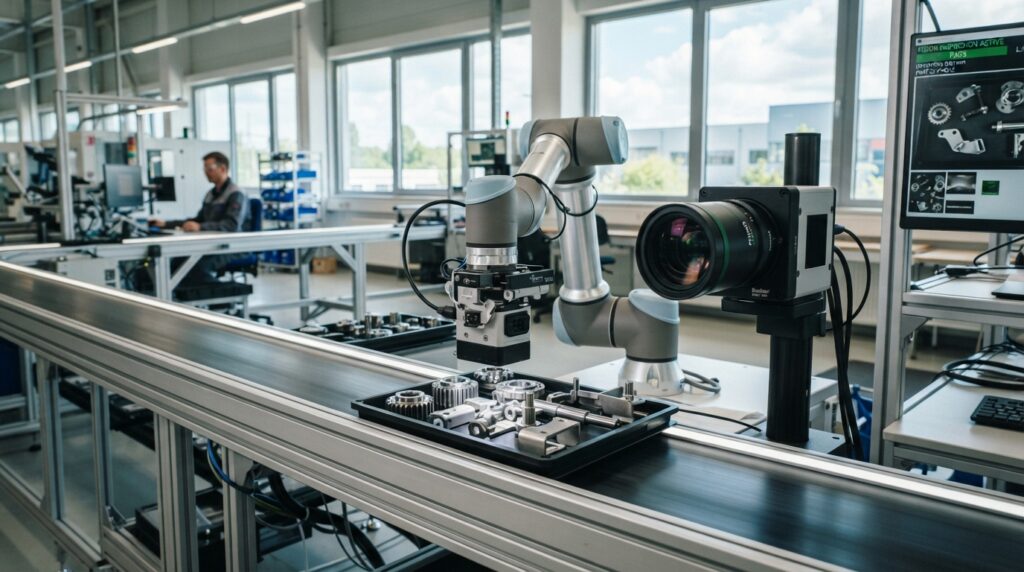
On a production line, a vision system can flag a surface defect or confirm that an assembly is complete before the next step. Machine vision can also check packaging and measure parts.
Quality assurance and inspection made up 26.1% of the global computer vision market by application in 2025. Nearly 75% of manufacturers ran some form of AI-powered inspection in 2026.
Controlled factory settings can reach high detection accuracy, but those results do not promise the same performance on every line. Detection accuracy routinely exceeds 95% in controlled manufacturing environments, and exceeds 98% in some sectors.
The AI visual inspection market was valued at $24.11 billion in 2024 and was growing at 25.4% annually. Cognex In-Sight and ViDi support high-speed inspection of up to 1,000 parts per minute.
Such speed matters when a line produces more parts than people can inspect by hand. Yet speed alone does not show whether a camera catches the defects that matter or sends too many good parts for review.
Before deployment, teams should check these four conditions:
- Use consistent lighting at the inspection point.
- Collect representative samples of real defects.
- Test at the full production line speed.
- Define what happens after a reject or uncertain result.
A camera can inspect a fixed feature, such as a cap or a label, but changes in product position can alter the view. The system needs to handle the parts and variation seen during normal work.
Validate the camera and model at the real line speed, with the lighting and parts the factory actually uses.
How Is Computer Vision Used in Healthcare?
In medical imaging, computer vision can flag a region for review or measure a change across images. It can analyze X-rays, MRI, CT, and retinal images, but does not replace a clinician’s judgment.
Image analysis can identify a suspicious area, compare images over time, or prioritize a scan for review. In retinal screening, a model may flag signs that need follow-up from a health professional.
Clinical decisions remain with qualified health professionals. By mid-2025, approximately 873 AI/ML-enabled medical devices had received FDA clearance, with radiology accounting for the largest share.
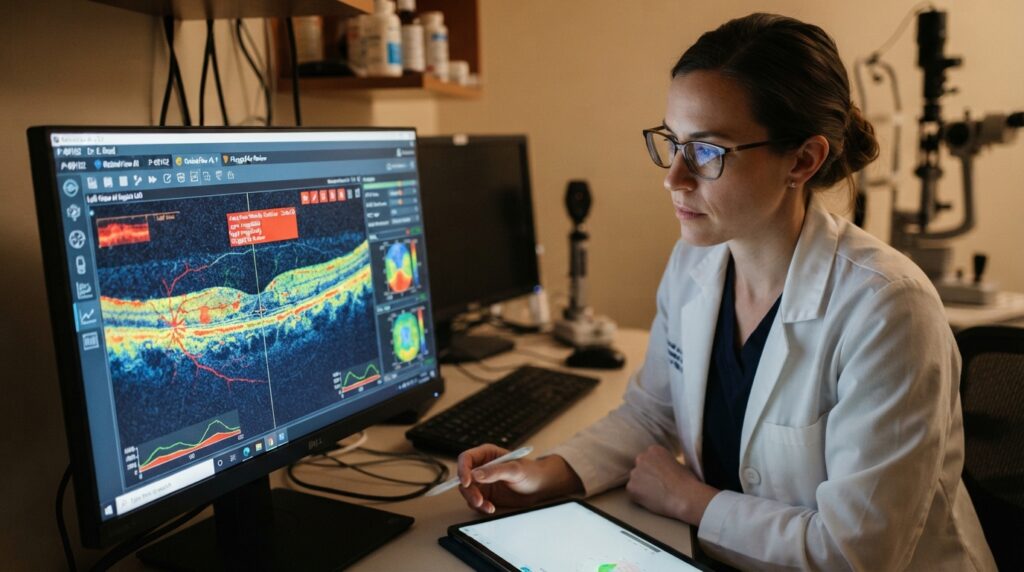
The FDA’s AI-enabled medical devices list tracks devices authorized for marketing in the United States. The list is not comprehensive, and it includes devices across medical specialties.
A published evaluation of automated diabetic-retinopathy screening reported around 87% sensitivity in controlled settings. Sensitivity measures how often a test finds cases that are present; it does not guarantee a diagnosis.
Medical images can vary with equipment, image quality, and patient factors. Health teams need to know what the system was designed to assess and how its output fits their review process.
Treat an image-based model as decision support and confirm its role with the clinical team responsible for care.
How Do Autonomous Vehicles and Robots Use Vision?
A vehicle’s vision system must detect road users and obstacles quickly enough to support navigation and safety decisions. It may identify pedestrians, vehicles, signs, obstacles, and drivable areas.
Autonomous vehicles combine cameras with other sensors to interpret changing scenes. The system must read the road quickly, even when traffic, lighting, or weather shifts.
Visual data is one part of a larger sensing system. A robot may use cameras to find an object, while other sensors help it measure distance or detect contact.
YOLO-family architectures can process 15-30 cameras at once on a single edge GPU for safety monitoring. This is one example of a vision model’s role in a multi-camera system.
As of early 2026, Waymo operated a driverless commercial robotaxi service in ten U.S. cities. Service in several cities does not establish safety for every road or condition.
Robots also use vision to navigate warehouses, approach work surfaces, or pick objects. Their movements depend on the quality of detection and the system’s ability to respond to new positions.
Real-world testing must include changing light, weather, traffic, and partially obscured objects.
What Can Vision Systems Do in Retail and Agriculture?
A retailer can use shelf images to spot stock gaps, while a produce grader can sort items by visible features. The two applications support different business decisions.
Store layouts, packaging, crop varieties, and lighting can change what a model sees. A system should be tested on the products and conditions it will encounter.
Retail inventory and merchandising
Retail vision systems can monitor stock, spot misplaced products, and check whether shelves match a merchandising plan. A shelf image may show a gap even when the inventory record says the item is available.
An estimated 40-50% of large retail enterprises had deployed at least one computer-vision-based inventory or merchandising system in 2026. Packaging changes and new store layouts can affect recognition.
Agricultural grading and crop monitoring
Farm systems can monitor crops for visible changes and sort produce by features such as shape or color. In 2026, an estimated 35-45% of large agricultural operations used computer-vision-based grading or monitoring.
Produce grading systems reduce over-rejection by 15-20% compared with human graders who err toward caution. That comparison applies to produce grading, not every farm inspection task.
Crop varieties, growing conditions, and lighting can shift the appearance of produce. A category that works for one crop or season may not fit another.
Check whether the model’s categories match the decisions the store or farm needs to make.
Should Computer Vision Run in the Cloud or at the Edge?
Cloud processing is useful when centralized capacity matters, while edge processing suits decisions that need to happen near the camera or offline. The best location depends on the response time and data handling a task needs.
Benefits of computer vision can include automated visual checks, faster alerts, and less manual review. Those benefits depend on the use case and system quality.
Cloud computer vision can bring communication cost, delay, privacy, and bottleneck risks. Cloud computer vision sends images or video to remote servers for processing, and usually depends on an internet connection.
Cloud processing for centralized workloads
Centralized computing can support workloads that need shared resources or a single place to manage results. Teams can process image data on remote servers and send the output to other systems.
Sending each image can add communication costs and latency. A weak or lost internet connection can interrupt service, while a high volume of video can create a bottleneck.
Cloud use may also create privacy concerns when image data leaves a site. Teams need to consider what gets sent and how the service handles it.
Edge processing for local decisions
Edge computer vision processes images or video on-device, near the camera. Local processing can support real-time responses, operate offline, and preserve privacy without sending or storing image data.
EdgeVision improved performance by 33.6%-86.4% and reduced video frame-drop rates by 92.8% compared with baseline methods in one multi-edge video analytics testbed. Those results describe that testbed, not a universal guarantee.
| Processing setup | Internet need | Typical latency path | Image-data handling |
|---|---|---|---|
| Cloud | Connection to remote server | Camera to server and back | Images sent to centralized service |
| Edge | Not needed for local inference | Camera to nearby device | Images can stay on-device |
| Hybrid | Needed for cloud tasks | Local response plus server path | Selected data sent for central review |
Choose the processing location only after checking response time, connectivity, privacy needs, and the cost of moving image data.
Which Computer Vision Software Fits Different Projects?
Start with the software category that fits the task: prebuilt APIs, a prototype workspace, or an industrial inspection platform. Computer vision software ranges from general services to tools built for factory lines.
Match the tool to the work it must perform and connect to. A computer vision app for a small prototype may not offer the same camera controls as an industrial system.
General-purpose cloud and prototyping tools
Google Cloud Vision AI offers prebuilt APIs for label detection, optical character recognition (OCR), and face detection. Custom model training is available through Vertex AI.
Amazon Rekognition supports image and video analysis. It integrates with S3, Lambda, and IoT Greengrass for edge deployments.
Roboflow provides dataset management, augmentation, and model training for prototyping. These tools can help teams build and test a workflow before wider use.
Factory inspection and edge video tools
NVIDIA DeepStream is a software development kit (SDK) for GPU-accelerated video analytics pipelines. It supports high-throughput, low-latency edge deployments.
Landing AI’s LandingLens is designed for manufacturing inspection and training with small datasets. Its product-specific materials describe high precision with as few as a dozen examples; that is not a general rule for model training.
Cognex ViDi supports factory automation, quality control, and assembly verification. Keyence VS/CV-X Series can be configured by a process engineer rather than an AI programmer and supports PLC integration.
SICK AppSpace is designed for logistics, autonomous mobile robots, and 3D-zone safety in harsh environments.
| Tool | Typical role | Notable capability | Integration or deployment detail |
|---|---|---|---|
| Google Cloud Vision AI | Image analysis APIs | Labels, OCR, face detection | Custom training through Vertex AI |
| Amazon Rekognition | Image and video analysis | Analyzes images and video | Works with S3, Lambda, IoT Greengrass |
| NVIDIA DeepStream | Video analytics pipeline | GPU-accelerated processing | Supports edge deployments |
| Roboflow | Prototyping and model training | Dataset tools and augmentation | Manages training workflows |
| Cognex ViDi | Factory automation | Quality control and assembly checks | Designed for factory applications |
Confirm that the chosen tool can connect to the camera, model workflow, and action system already in use.
What Does a Computer Vision Project Cost?
A basic object-detection project can cost $10,000-$30,000, a different range from a broader AI vision software pilot, which starts at $30,000. Project scope helps explain the difference.
Custom computer vision model development can start at $50,000. Real-time video analysis projects typically cost $40,000-$100,000, while advanced 3D computer vision solutions can exceed $100,000.
An advanced computer vision solution costs around $100,000 or higher. These estimates describe different project conditions, so they should not be treated as one shared price list for the same scope.
Custom data collection and annotation can add work before model development begins. The team may also need cameras, compute hardware, system integration, and ongoing maintenance.
Video adds demands because a system may process many frames and need to respond quickly. A 3D project may need different cameras and a more complex model than a basic image task.
These five cost drivers can change the project’s scope:
- Data preparation, including collection and annotation.
- Model complexity and the required visual task.
- Camera and compute hardware.
- Integration with existing systems.
- Deployment support and ongoing maintenance.
Compare estimates only after defining the same task, data needs, hardware, and deployment scope.
How Should We Plan a Computer Vision Project?
A successful project begins with a decision the team needs to improve, not with a search for the most sophisticated model. A clear goal makes it easier to judge whether a system helps.
A practical project can use three checkpoints: a defined task, a representative data set, and a measured result. The team can then test a small version before changing a live workflow.
Build evaluation around the conditions the system will face. The evaluation set should reflect expected conditions and should not simply duplicate training images.
We can use this five-step path:
- Define the decision the system should support.
- Collect representative images from expected conditions.
- Label the images and split them into data sets.
- Test a baseline model against a clear metric.
- Run a limited pilot before system integration.
The metric should reflect the task. A team may track missed defects, false alerts, or how often a model places an object correctly.
We should also define who reviews uncertain results and what happens if the system is unavailable. The NIST AI Risk Management Framework can help teams organize AI risk-management activities.
A limited pilot gives the team a chance to see how the model performs in its intended setting. It can also show whether the model output reaches the right person at the right time.
Agree on an acceptable result and a fallback process before the pilot reaches a live workflow.
What Limits and Risks Should Teams Consider?
A vision system can fail when the scene differs from the examples it learned or when the camera captures incomplete information. Poor lighting, blocked objects, camera changes, and unusual examples can reduce reliability.
Training data can also be incomplete or skewed. A model may perform poorly on a group or condition that appears too rarely in its examples.
A confidence score is not proof that a prediction is correct. A high score shows how strongly a model favors its answer under its own scoring method, not whether the answer matches reality.
Environments change over time. New packaging, camera settings, or work practices can alter the images a model sees and weaken earlier results.
Images can include identifiable people. Teams should limit access to image data and decide who can view, store, or share it.
The NIST AI Risk Management Framework organizes risk work through governing, mapping, measuring, and managing. ISO/IEC 42001 is an international AI management-system standard.
These resources can help teams organize oversight, but they do not guarantee legal compliance or model accuracy. Teams still need to assess their own uses and risks.
Keep a human review path for uncertain or consequential decisions, and recheck performance when conditions change.
We can use a human review path when a result could affect a person, product, or safety decision. A change in lighting or camera angle can also signal that the team should test performance again.
Conclusion
Computer vision is most useful when it turns a specific visual task into a decision that people or systems can act on. A clear task helps us choose an output that fits the work.
Two takeaways matter: a useful system begins with a defined visual task, and its real-world value depends on representative data and an action suited to its result.
Start by writing down one recurring visual decision and the result that would make it easier, faster, or more consistent.